GameBay - the #1 Steam Game Unlocker for Windows PC. Stop wasting
$60 on every game.
Play whatever you want for a single $49 payment. 120,000+ titles. New releases included. Forever.
One-time payment. No subscription. 30-day money-back guarantee.
Your Library
Every AAA, indie & classic - included.
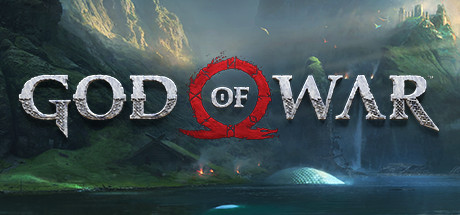
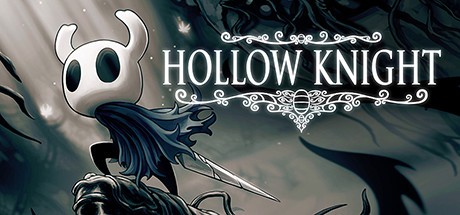
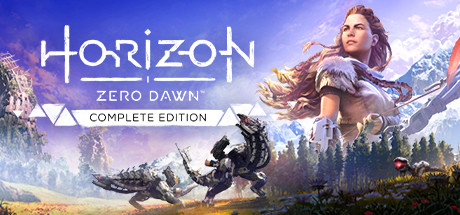
Stop paying $60 each. One $49 unlock gets you all of these - plus 119,976 more.





















Why Switch
Keep your money.
Keep your games.
The average gamer spends $500+ per year on Steam. GameBay pays for itself in a single weekend.
120,000+ Games
Every new release, AAA blockbuster, indie gem, classic and DLC - all in one library.
Instant Steam Activation
Games unlock directly into your Steam library in seconds. No shady launchers, no extra steps.
Windows PC Only
Built for Windows 10 and 11. Runs through the official Steam client on your desktop or laptop.
One App, Every Game
Browse, redeem and unlock any title through our lightweight Windows app. Steam handles the rest.
How It Works
From broke to backlog.
In 3 minutes.
Pay Once
Complete your one-time $49 purchase and instantly receive the GameBay client. No subscriptions, ever.
Download & Play
Download the GameBay app for Windows, pick any game from the catalog, and it unlocks straight into your Steam library ready to download and play.
Play Anything
Browse 120,000+ titles, hit add, and they appear in your Steam library ready to download and play.
Watch the full walkthrough - from install to playing your first unlocked game in under 3 minutes.
The App
This is what unlocking looks like.
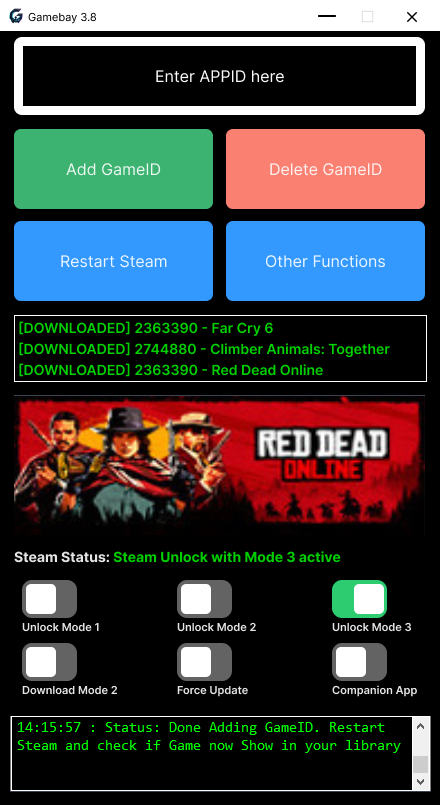
The GameBay Windows app is lightweight, clean, and built for speed. Enter any Steam APPID, hit Add GameID, restart Steam, and the game appears in your library ready to download.
Everything you need in one lightweight app
Enter any Steam APPID
Paste the Steam APPID of any game you want. GameBay supports every title on the Steam store - AAA blockbusters, indie releases, DLC, and early-access games.
One-click unlock
Hit the Add GameID button and GameBay registers the game to your account instantly. No complex setup, no manual file editing.
Restart Steam & play
Restart the Steam client and the game appears in your library. Download it directly from Steam's official servers at full speed.
Multiple unlock modes
GameBay includes multiple Steam unlock modes to ensure compatibility with every game type and region. Mode 3 is recommended for most titles.
Safe & undetectable
The app uses official Steam infrastructure. Games download from Steam CDN just like any purchase. Safe to use on your main account.
Loved by Gamers
Real libraries. Real reactions.
"Went from 47 games to over 2,000 in a single weekend. Downloads pull straight from Steam at gigabit speeds. Honestly insane value."

"Went from a modest library to over 2,000 games in one weekend. Everything activates straight into Steam on my Windows PC. Absolute game changer."

"I was sceptical at $49. Three months in, I've added every game I ever wanted to try. Best gaming purchase I've made this decade."

What is GameBay? The best Steam game unlocker for Windows PC
GameBay is a powerful Windows desktop application that unlocks Steam games directly into your library. For a single one-time payment of $49, you get lifetime access to over 120,000 Steam titles including every new release, AAA blockbuster, indie gem, and DLC pack.
Unlike game key resellers that charge per title, GameBay gives you unlimited access to the entire Steam catalog. Simply download the GameBay app for Windows 10 or 11, enter the APPID of any game you want, and it unlocks instantly in your Steam client. The game then downloads directly from Steam's official content delivery network at full speed - exactly the same way a purchased game would.
GameBay has been trusted by thousands of PC gamers worldwide. It is safe to use on your main Steam account, requires no VPN, and works through official Steam infrastructure. Whether you want to play the latest Call of Duty, explore indie hits like Hollow Knight, or catch up on classic franchises like Grand Theft Auto and The Witcher - GameBay unlocks them all.
How GameBay unlocks Steam games - the complete process
Step 1: Download GameBay
After purchasing, download the GameBay 3.8 installer for Windows. The app is lightweight, clean, and installs in under a minute. No bloatware, no hidden extras.
Step 2: Activate with your key
Launch GameBay and enter your 42-character activation key. This links the app to your account and unlocks the full catalog permanently.
Step 3: Enter any APPID
Find the Steam APPID of any game on the Steam store. Paste it into GameBay's input field, click Add GameID, and the game registers to your Steam account instantly.
Step 4: Restart Steam & play
Restart your Steam client and the game appears in your library. Click install and it downloads from Steam's official servers. Play online, earn achievements, and use Steam Cloud just like any purchased game.
What games can you unlock with GameBay?
GameBay supports every game available on the Steam store. This includes the biggest AAA releases like Elden Ring, Baldur's Gate 3, Grand Theft Auto V, Cyberpunk 2077, Red Dead Redemption 2, God of War, Marvel's Spider-Man, and every new title as it launches.
You also get full access to indie darlings like Hades, Hollow Knight, Stardew Valley, Terraria, and Lethal Company. Every DLC, season pass, and expansion pack is included. Early access titles, VR games, and simulation hits like Microsoft Flight Simulator are all supported.
The library updates automatically. When a new game launches on Steam, it becomes available in GameBay within hours. There are no region locks, no content restrictions, and no additional fees for new releases.
Why choose GameBay over buying games individually?
Save thousands of dollars
The average gamer buys 8-12 full-price games per year at $60 each. GameBay pays for itself after unlocking a single game. Over five years, you save over $3,000.
No subscription fees
Unlike Xbox Game Pass, PlayStation Plus, or EA Play, GameBay is a one-time $49 payment. No monthly charges, no price hikes, no losing access if you cancel.
Own your library forever
Games stay in your Steam library permanently. Even if you reinstall Windows or switch PCs, your library follows you. Your Steam account owns every title you unlock.
Try before you commit
With 120,000+ games unlocked, you can experiment with genres you never tried. Discover hidden indie gems without risking $30-60 per purchase.
GameBay system requirements
Minimum requirements
- Windows 10 64-bit or Windows 11
- Official Steam client installed
- Internet connection
- 50 MB free disk space for GameBay
What you need to play
- A valid Steam account (main account recommended)
- Sufficient storage for game downloads
- PC specs that meet each game's requirements
- GameBay activation key (included with purchase)
Pricing
One payment. Forever yours.
Lifetime Access
Everything. Forever. One payment.
One-time payment No subscription No hidden fees
FAQ
Questions, answered.
Don't miss the $49 lifetime price.
120,000+ games. One payment. Forever access. Join thousands of gamers building the library they always wanted.
Secure checkout • Instant access • 30-day refund